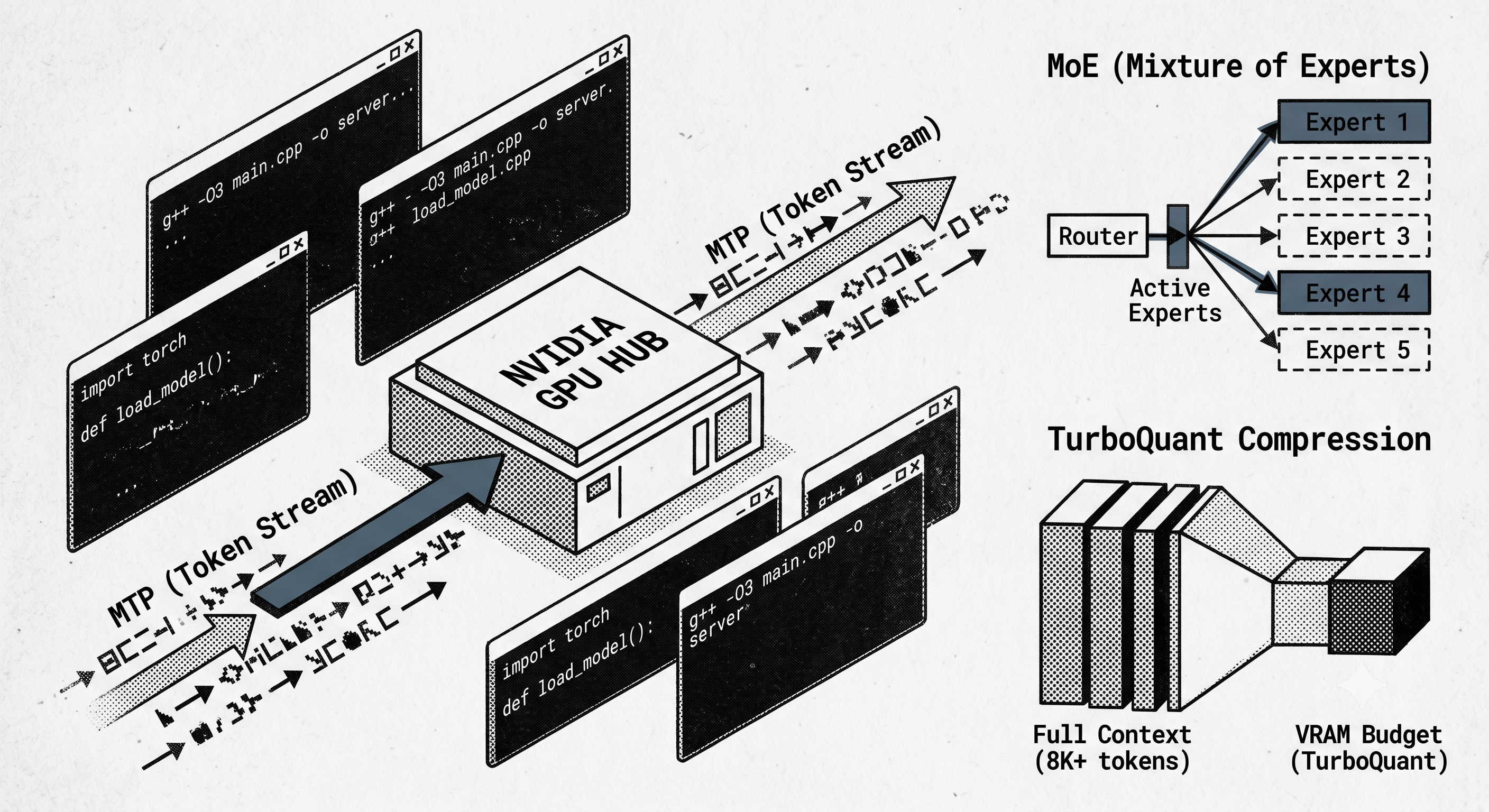
Inspired by the performance gains and resource efficiency of Multi-Token Prediction (MTP) and KV cache quantisation, I started what would become another yak-shaving endeavour.
I was an early adopter of Ollama to host LLMs on my MacBook and home Ubuntu server. Between the easy access to the latest models, reliable software and its forgiving nature when an LLM couldn't fit entirely in the GPU, it was—and still is—the obvious choice for most people running LLMs at home.
However, over time I've offloaded most LLMs from my MacBook. I now consume either large frontier models in the cloud or smaller 30-120B models on my Ubuntu server. I've been on the verge of upgrading my hardware stack (RTX 4000, i5 processor and 96GB RAM) on multiple occasions over the last 12 months. But a combination of its power efficiency and rapid improvements in models from Alibaba, Meta, Google and Z.ai have extended the usefulness of the platform way past what I thought possible when I built the rig 2.5 years ago.
Always looking to squeeze the most performance from the platform, I recently decided I needed to adopt a model capable of MTP and optimise the KV cache through quantisation. This was the start of the yak-shaving required to finally achieve that initial goal.
The MLX Wall
I recently moved to a 4-bit quantised Qwen3.6-35B-A3B, an MoE model where only three of the 35 experts are active at any one time. With a context window of 256k and a 24 GB model size, it subjectively felt like an improvement for my agentic workflows over the highly capable Gemma 4.
When the MTP version was released—with reports of 1.5x to 1.8x token throughput improvements for real-world use cases—I decided it was worth trying. Ollama makes this really easy, or so I thought. Unfortunately, at the time, Ollama had only implemented support for MTP on Apple’s MLX framework. If I wanted it on Linux, I'd need to move to llama.cpp, the underlying inference stack that Ollama is built on.
llama.cpp is arguably more powerful; it exposes all the configuration parameters so you can optimise inference for specific models. You get to decide how many layers stay on the GPU, how long idle models remain loaded and how the KV cache is optimised. In exchange, you give up some of Ollama's simplicity. I decided a promised 50% improvement in performance was worth the effort, so I stopped the Ollama services and set about installing llama.cpp.
The Obligatory OS Upgrade
Given how new support for MTP was, I decided to build llama.cpp from source. The documentation is great and the build instructions are straightforward, so it should have just been a case of cloning the repo and running make.
The problem? I was running an older Ubuntu kernel and version of CUDA.
Upgrading a major version (22.04 to 24.04) isn't difficult, but it requires a rollback plan just in case. I use the Ubuntu server for multiple purposes—including a host of VMs that provide my personal agentic AI service, NAS, knowledge DB and many other things I didn't want to lose. After setting aside a couple of hours for a backup and verification, the upgrade went without a hitch. Interestingly, a side effect of moving to the newer kernel and CUDA, was a 20% reduction in idle power consumption according to my Smart Power Plug. An unexpected but welcome bonus.
The build of llama.cpp went flawlessly, and 20 minutes later I was back to running the same Qwen model I'd been running on Ollama.
Firing up MTP
Time to get the latest MTP model. This is where I first missed the ease of simply issuing an ollama pull. A quick search led me to Unsloth, a great resource for anyone running or wishing to fine-tune their own models. I went through the exercise of fine-tuning once when I was exploring LoRAs, but so far, prompting has been sufficient for my personal projects.
After downloading the 4-bit MTP model and starting the service with the options spec-type = draft-mtp and spec-draft-n-max = 2(the maximum number of draft tokens generated per step), I immediately saw a jump in performance. I was getting 700 TPS for a coding task. This was a significant increase, and with a relatively conservative max number of draft tokens, I can probably take this further in the future.
Another thing I valued about Ollama is how it manages the loading and offloading of models. Thankfully, this was recently made possible in llama.cpp using the --models-preset flag and a configuration file. You still need to limit the concurrent models with --models-max, but with a bit of service configuration, I got back most of the features I'd grown to rely upon with Ollama—now with a 30%+ improvement in performance.
The Final Boss: TurboQuant
The final task on the list was to optimise the KV cache and take advantage of TurboQuant.
I added the configuration options --cache-type-k q8_0 and --cache-type-v turbo4, restarted the llama.cpp service... and was promptly told that turbo4 was an unsupported cache type.
It turns out these features haven't found their way into the main release of llama.cpp yet, so I set about my next side quest: finding a version that did. This brought me to TheTom's llama-cpp-turboquant fork. A quick git clone and build later, I'd freed up a little extra headroom on the GPU without any observable drop in performance. When you are running on 20 GB of VRAM, every gigabyte counts.
Ollama will almost certainly provide support for MTP and TurboQuant on Linux in the future, and I may even go back to it when they do. But for now, the 30%+ improvement in performance and efficient GPU usage is well worth the extra effort of running llama.cpp.

